Share updates, photos, and promotions directly with clients through posts. Keep the conversation going between visits while managing bookings, services, and your team in Shortwaits Admin.
Request a trial using the short form. Our team will contact you about getting started.
By signing up, you agree to our Terms & Conditions.Shortwaits Admin · Available on iOS & Android
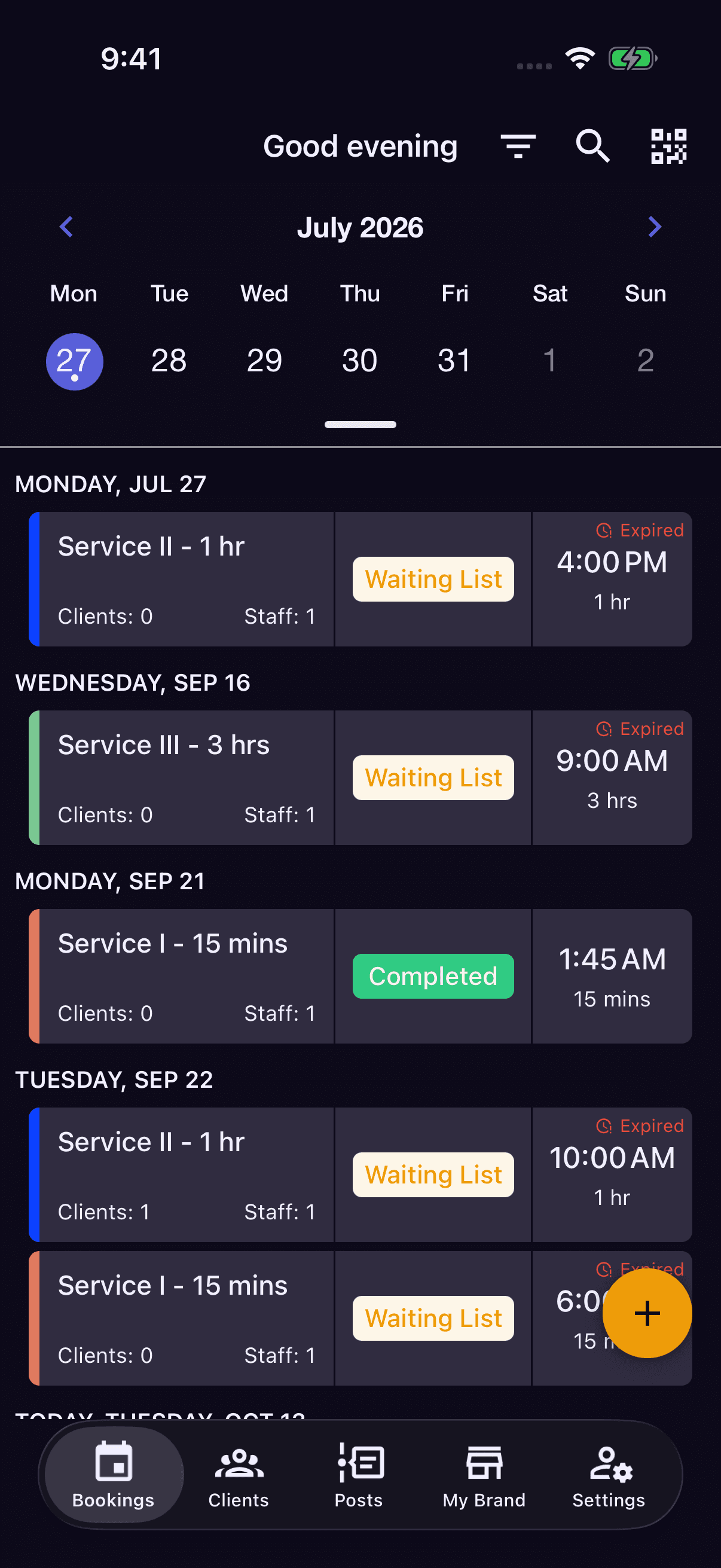
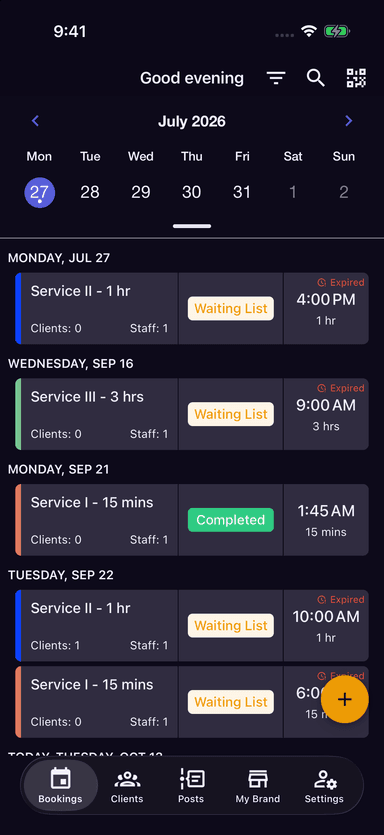
Your day, at a glance
Bookings, status, and assigned staff in one place.Add your services, prices, durations, and staff in Shortwaits Admin.
Create bookings, assign staff, and keep track of each appointment through checkout.
Share photos, service highlights, and business updates through posts between visits.
Bring your business into your clients' feed with posts, then manage the appointments and relationships that follow. Explore the tools in Shortwaits Admin.
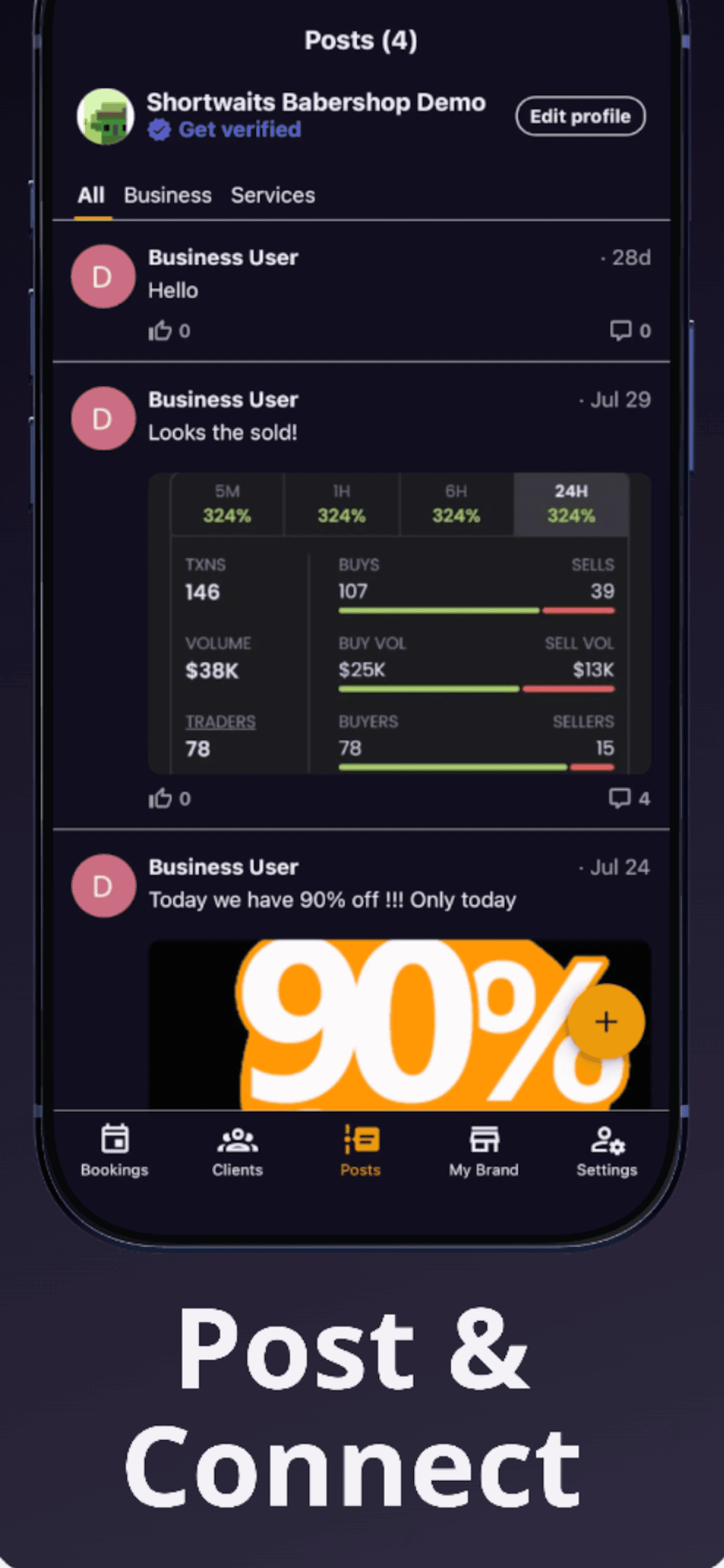
Connect directly with clients through posts, not just appointments. Share what is happening at your business and keep the conversation going between visits.
Share news, offers, and behind-the-scenes content with your followers.
Build trust and credibility with authentic customer reviews.
Customers can follow your business and get notified of new posts.
Let walk-in customers scan your QR code to join a booking instantly.
From your next post to your next appointment, Shortwaits Admin brings your client relationships and everyday business tools together.
Publish text and photo posts for your business or a specific service. Share offers and updates, and keep conversations going through comments.
Create appointments, track booking statuses, and complete checkout with a clear view of your schedule.
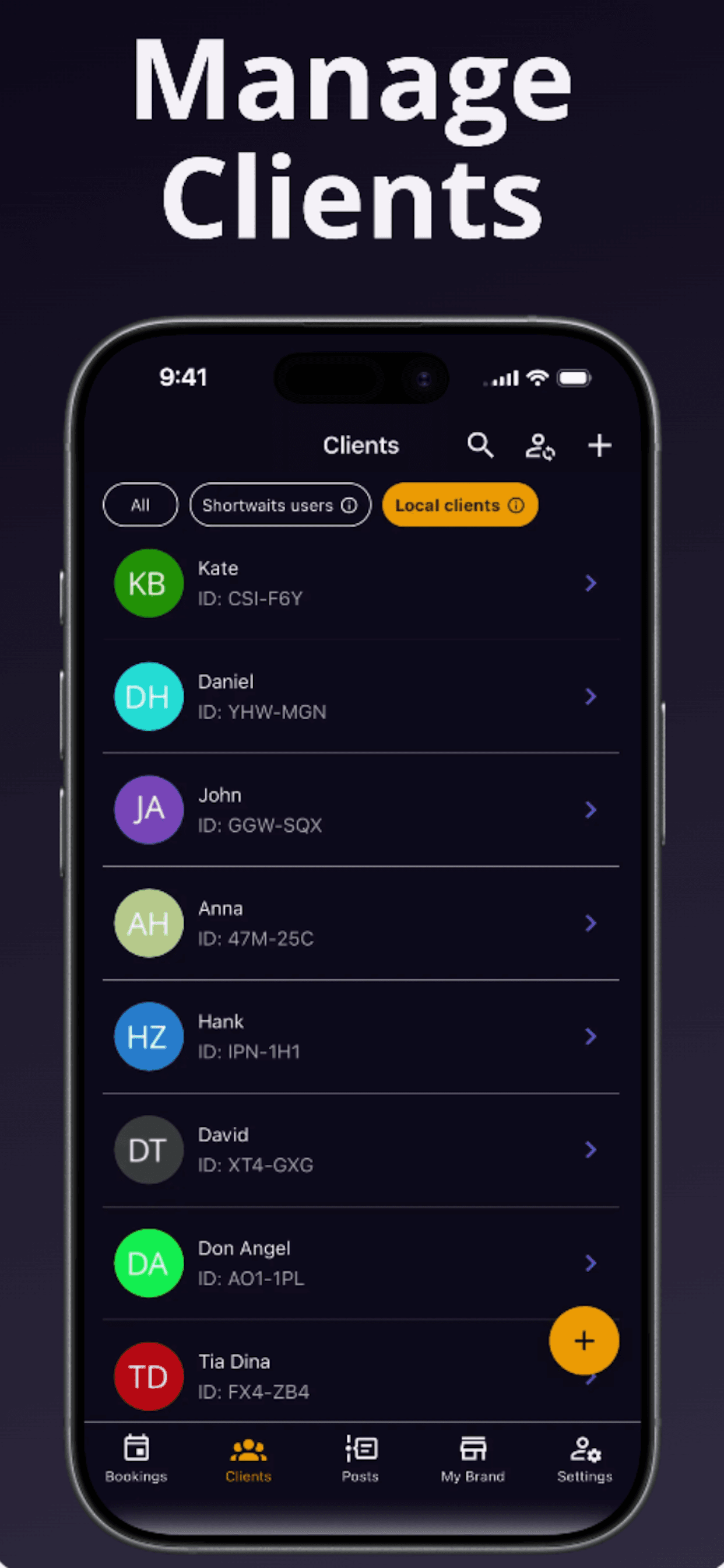
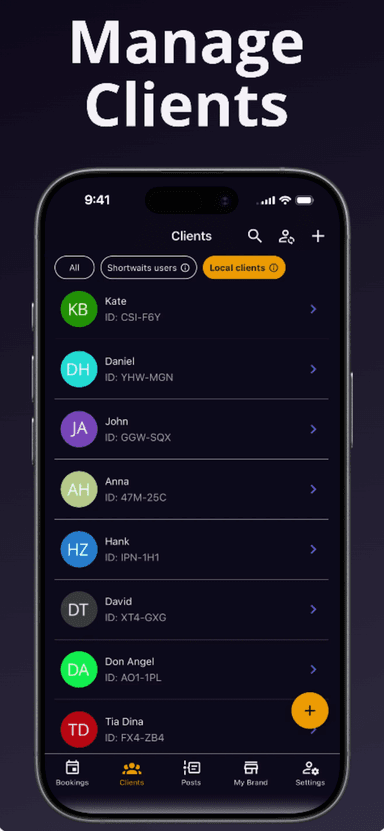
Keep app users and local clients organized, view client details, and add them to bookings.
Manage service descriptions, prices, durations, and assigned staff so your offerings are ready to book.
Assign staff to bookings and services. See scheduling-conflict warnings when creating a booking.
Scan a booking QR to open its details, or a client QR to preview their information and add them to your business.
Available on
Post updates and manage bookings, services, and staff on the go.